Android Live Translate: Pixel Buds and Beyond
By Mark Fulton ·
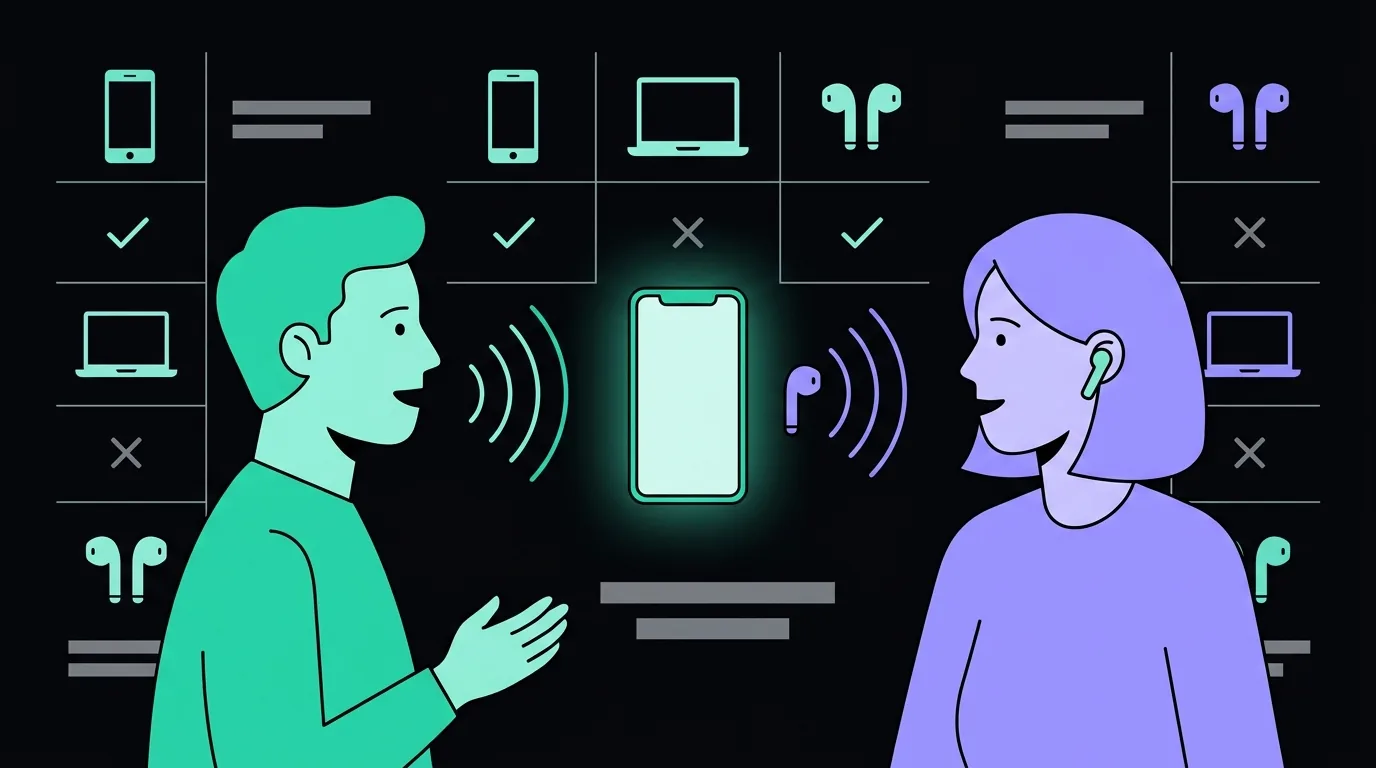
You do not need Pixel Buds to get live speech translation in your ear on Android. As of September 2026, Google's own Translate documentation says Live translate works with or without headphones on an Android phone or tablet, and that any headphones you have already connected will do. What Pixel Buds still add is a shortcut: bud-initiated Live Translate mode and the older Transcribe mode, both of which are documented on Google's Pixel Buds help page and both of which carry their own phone-side requirements. The requirement that gates almost everything is not the earbuds. It is the phone, the app version, the country you are standing in, and a working internet connection.
Most of what is written about translating with Pixel Buds was written before that changed, so it reads like the buds are the product. They are not. The buds are a microphone and a speaker, which is worth understanding once properly because it explains every row of the table below. I sell a translation earbud kit, so I have an obvious reason to tell you that free software on hardware you already own is enough. I am telling you anyway, because for a large number of Android owners it is, and the place where a third-party tool still earns money is narrower and more specific than the category admits.
Everything below is taken from Google's and Apple's current published documentation, checked at the start of September 2026. This area moves fast enough that the honest instruction is to re-check the two links before you plan a trip around any of it.
What can Android translate through headphones now?
Two different things, and they get confused constantly.
The Translate app's Live translate. This is the feature that changed. Google's help page for live speech to speech translation with Live translate states that you can use Live translate with or without headphones on your Android phone or tablet, and that the requirement is having the latest app version. Connect headphones and the translation plays into your ear. Connect nothing and it plays out of the phone speaker. The page lists four modes: Listening, where you hear a real-time translation of what is being said around you; Conversation, where translations play out loud and the two of you take turns; Text only, which plays no audio at all; and Custom settings, which lets you choose the output. There is also a face to face mode that splits the screen so each speaker reads their own half.
Two details on that page are worth more than they look. The microphone detects on its own when one language stops and the other starts, so nobody has to press a button between turns. And the session keeps running when you switch apps, minimise the app, or lock the screen, which is the difference between a demo and something you can actually use while walking.
Google announced the headphone version's arrival on iOS and its expansion to more countries, including France, Germany, Italy, Japan, Spain, Thailand and the UK, on 26 March 2026, describing it as working through any pair of headphones across more than 70 languages. That announcement is the clearest statement Google has published that the feature is not tied to a brand of earbud.
Pixel Buds' own translation modes. These are older, separate, and still documented. Google's page on translating with Google Pixel Buds covers Live Translate mode, which you can launch from the buds by holding an earbud or saying "Hey Google", and Transcribe mode, in which the buds continuously translate a speaker into your ear while a transcript runs on the phone.
The language coverage of the two paths is not the same, and this is the single most useful thing to know before you buy anything. The conversation language list on the Pixel Buds page runs to 40 entries. The list on the Translate app's Live translate page runs to 74. If you counted 70+ in a headline and then found your language missing, that is usually why: you were reading a Pixel Buds list and using a Translate app feature, or the reverse.
Worth noting how those lists are counted, too, because it is the same arithmetic that produces the inflated language numbers printed on translation gadget boxes. Google's Live translate list counts French and French (Canada) separately, Portuguese and Portuguese (Brazil) separately, Punjabi and Punjabi (Shahmukhi) separately, and carries both Farsi and Persian as their own entries. Chinese appears only as Traditional. None of that is dishonest, and Google's own "70+" phrasing is fair. It is just a reminder that a language count is a list, and the list is the thing to read.
Do you still need Pixel Buds?
For hearing a translation in your ear on Android, no. For the bud-initiated shortcuts and Transcribe mode, yes, and those come with a phone requirement that is stricter than the Translate app's.
Here is the map. Every row comes from Google's or Apple's own current documentation, and the last column is the requirement that actually decides whether the row works for you, which is nearly always something about the phone rather than the earbuds.
| Phone | Earbuds | What you get | The requirement that actually gates it |
|---|---|---|---|
| Any Android phone or tablet on the current Translate app | None | Live translate through the phone speaker, in Listening, Conversation, Text only or face to face mode | The app version. Google's help page states Live translate works with or without headphones, given the latest app version |
| Any Android phone or tablet on the current Translate app | Any connected headphones, wired or Bluetooth | The same Live translate modes, played into your ear | The headphones only have to be connected. Google's instruction is literally "connect your headphones", then tap Live translate |
| Google Assistant enabled Android device, Android 6.0 or later | Pixel Buds | Live Translate mode launched from the buds or by voice | Assistant on the phone, the latest Google app and the latest Translate app, and an internet connection, per the Pixel Buds page |
| Google Assistant enabled Android device, Android 6.0 or later | Pixel Buds | Transcribe mode: continuous translation into your ear with a transcript on the phone | The language pair. Google documents Transcribe mode as listening to English and translating into French, German, Italian or Spanish only |
| Gemini enabled Android device, Android 6.0 or later, Google Account | Gemini-optimised headphones | Google's page states that Google Translate works with all Gemini-optimised headphones and Android phones | A Gemini-enabled device and an internet connection. Google does not publish a device list on that page, so treat "Gemini-optimised" as unverified for any specific model |
| iPhone or iPad on the current Translate app | Any connected headphones | Google's Live translate with headphones, announced for iOS in March 2026 | Country availability. Google's announcement names an expanding country list rather than a device list |
| iPhone 15 Pro or later, iOS 26 or later, Apple Intelligence on | AirPods 4 with ANC, AirPods Pro 2, AirPods Pro 3, AirPods Max 2 | Apple's Live Translation, processed on the iPhone | The iPhone, not the buds. Apple's page lists the phone tier, the OS version, Apple Intelligence, the Translate app and current AirPods firmware |
| Any laptop or desktop, any headphones | Any | Not available from Google. Its own help page for computers says you cannot talk and translate at the same time on Google Translate for the web | There is no desktop path in Google's documentation, only a pointer back to the phone app |
The row people are most often surprised by is the last one, and I will come back to it.
How does this compare with Apple's version?
They are built on opposite assumptions, and the comparison is more interesting than "which is better".
Apple's Live Translation with AirPods requires a specific short list of earbuds and a specific tier of iPhone: AirPods 4 with Active Noise Cancellation, AirPods Pro 2, AirPods Pro 3 or AirPods Max 2, paired to an iPhone 15 Pro or later running iOS 26 or later with Apple Intelligence turned on. You download the language models in advance, and Apple states that once they are downloaded, processing happens on your iPhone and the conversation data stays there. Apple's broader Live Translation page repeats that the feature runs entirely on device in Messages, Phone, FaceTime and with AirPods.
Google's approach starts from the opposite end. The Translate app path has no published earbud requirement at all, and the Pixel Buds path asks for Android 6.0 or later, which is a floor low enough to be almost meaningless as a filter. In exchange, Google's Pixel Buds page lists an internet connection as a requirement and notes that data rates may apply.
So the real trade is narrow-and-private against broad-and-connected. Apple asks you to be inside a recent, specific hardware combination and gives you on-device processing and a short curated language list in return. Google asks you for a connection and gives you a much longer list and almost no hardware gate. Neither of those is a flaw. They are two defensible answers to the same question, and which one suits you depends on whether your constraint is the phone in your pocket or the signal where you are standing.
If you are on iPhone and weighing this up, the longer comparison of AirPods Live Translation against dedicated translation earbuds goes through the awkward part in detail: hearing the world is the easy half, and replying is where a one-device setup gets clumsy.
One thing both companies say plainly, and which every vendor in this category should: the output can be wrong. Apple's documentation warns that Live Translation uses generative models and that outputs may be inaccurate or unexpected. Google's Pixel Buds page states that translation is not instantaneous. Those two sentences are more useful to a buyer than any accuracy percentage printed on a box.
What does the feature not cover?
Four gaps, in roughly the order they will bite you.
The other person's half of the conversation. Live translate's Conversation mode plays out loud and expects you to take turns, and Listening mode is designed to get the world into your ear. If both of you want the smooth in-ear experience, you both need equipment and both need a session running. That is true of Google's setup and true of Apple's. It is also why handing somebody the second earbud remains a real and slightly awkward part of this category.
Anything written. No live translation feature reads a menu, a sign, a ticket machine or a medicine box. That is camera translation, a completely separate part of the same app, and on most trips it does more work than the speech features do.
Country availability. Google's March 2026 announcement frames the rollout as an expanding list of countries. Availability by country is a real constraint on a feature like this and it changes without a version number, so check it in the app before you rely on it rather than assuming that because it worked at home it will work where you are going.
The desktop. Google's own help page for computers is unambiguous: you cannot talk and translate at the same time on Google Translate for the web, and it points you back to the phone or tablet app. If your use case is a video call on a laptop, a webinar, a remote lesson or a client meeting from a desk, none of the above applies to you.
How does it behave without a signal?
On the Google path, assume it does not.
Google's Pixel Buds page lists an internet connection among the requirements for translating with the buds, and repeats it in the requirements footnote. The Translate app can download language packs for offline use, and those packs are genuinely useful, but that documentation is about translating without a connection in the app's text and camera features. Google does not document Live translate as an offline feature, so the safe planning assumption is that live speech-to-speech through your headphones needs a connection.
Apple's is the opposite case, and it is the strongest argument for its narrow language list. Apple states that Live Translation processing happens on your iPhone once the language models are downloaded. That is why the list is short: those are the languages Apple is willing to run locally and stand behind.
The practical version of this for a traveller: download your offline packs anyway, because they cover the reading problem that will occupy most of your day, but plan connectivity if you are counting on live speech translation. We wrote the full pre-departure version of that in do translation earbuds need Wi-Fi or data, and the short answer has not changed. Test the whole chain at home, on mobile data with Wi-Fi switched off, before you are standing at a counter.
What's left for a third-party tool?
Reach. That is the whole answer, and it is a smaller answer than most vendors in this space would give you.
Google's feature is free, it is good, and it now runs on effectively any Android phone with any headphones. If you are an Android owner having in-person conversations in a supported country, in a supported language, with a signal, then the correct move is to open the Translate app and buy nothing. The same goes for a recent iPhone owner with recent AirPods. Anybody selling you hardware who will not say that out loud is not being straight with you, and the comparison of a phone app against earbuds covers exactly where each one wins.
What is left is the set of situations where the ecosystem itself is the obstacle. A mixed group where one person is on Android and one is on an iPhone that is two generations too old for Apple Intelligence. A conversation that has to happen on a laptop, where Google's own documentation says the web version cannot do it. A device you do not want to install anything on. A situation where you need the same tool to behave the same way on three different pieces of hardware, because you cannot troubleshoot two of them.
That gap is what our software is for, and it is why it runs in a browser rather than as an app. AI Translation Live opens on an Android phone, an iPhone and a laptop, and behaves the same way on all three, with nothing to install and no ecosystem requirement to satisfy first. Our $69 earbud kit is commodity hardware and I describe it that way in every article on this site. The software is the reason to buy from us, and the honest claim about it is not that it is better than Google's or Apple's, because that is not a claim I can make and prove to you. It is that it goes places theirs does not.
The demo on the home page runs in the browser without an account. Open it on your laptop, which is the one device Google's documentation tells you to stop asking about, and say a sentence you would actually need. Then decide whether you needed to buy anything at all.
FAQ
Can any earbuds do live translation on Android?
For the Translate app's Live translate feature, yes. Google's help page states that Live translate works with or without headphones on an Android phone or tablet, and the instruction is simply to connect your headphones and tap Live translate. Wired or Bluetooth, any brand. What ordinary earbuds cannot do is start the translation from the bud itself or run Pixel Buds' Transcribe mode. Those are documented as Pixel Buds features and carry their own phone requirements. The distinction that matters is that the earbuds never do the translating in any of these products. They are a microphone and a speaker, and the translation happens on the phone or in the cloud.
Do Pixel Buds translate without a Pixel phone?
Google's Pixel Buds page does not require a Pixel. It asks for a Google Assistant enabled Android device running Android 6.0 or later, the latest Google app, the latest Google Translate app and an internet connection. A Samsung, a Motorola or any other Android phone that meets those conditions is covered by the wording on that page. Google's requirement is about Assistant support, not about who made the handset. As always with this category, confirm it on Google's own page before you buy on the strength of it, because these requirements have moved more than once.
Is Google's live translation free?
The Translate app is free and Google does not publish a subscription for Live translate. What is not free is the data. Google's Pixel Buds page notes that data rates may apply, and live speech-to-speech translation is a continuous audio stream to and from a server, so it consumes mobile data for as long as the session runs. Abroad, that is the cost to plan for. Free software on an expensive roaming plan is not free, which is a large part of why translation products price the way they do.
Which is better, Google or Apple live translation?
They optimise for different things, so the useful question is which constraint you have. Apple runs the translation on your iPhone, keeps the conversation on the device, and supports a short list of languages, but it requires an iPhone 15 Pro or later on iOS 26 or later with Apple Intelligence on, plus one of four supported AirPods models. Google has almost no hardware requirement, supports a far longer language list, and needs an internet connection. If you have the recent Apple hardware and your language pair is on Apple's list, you already own something good. If you are on Android, or your language is not on Apple's list, Google's path is open to you today with the earbuds already in your pocket. Neither company publishes a comparable accuracy figure, and any third party ranking them on accuracy is showing you an opinion rather than a measurement.