Do Translation Earbuds Need an App? What "No App" Means
By Mark Fulton · October 7, 2026
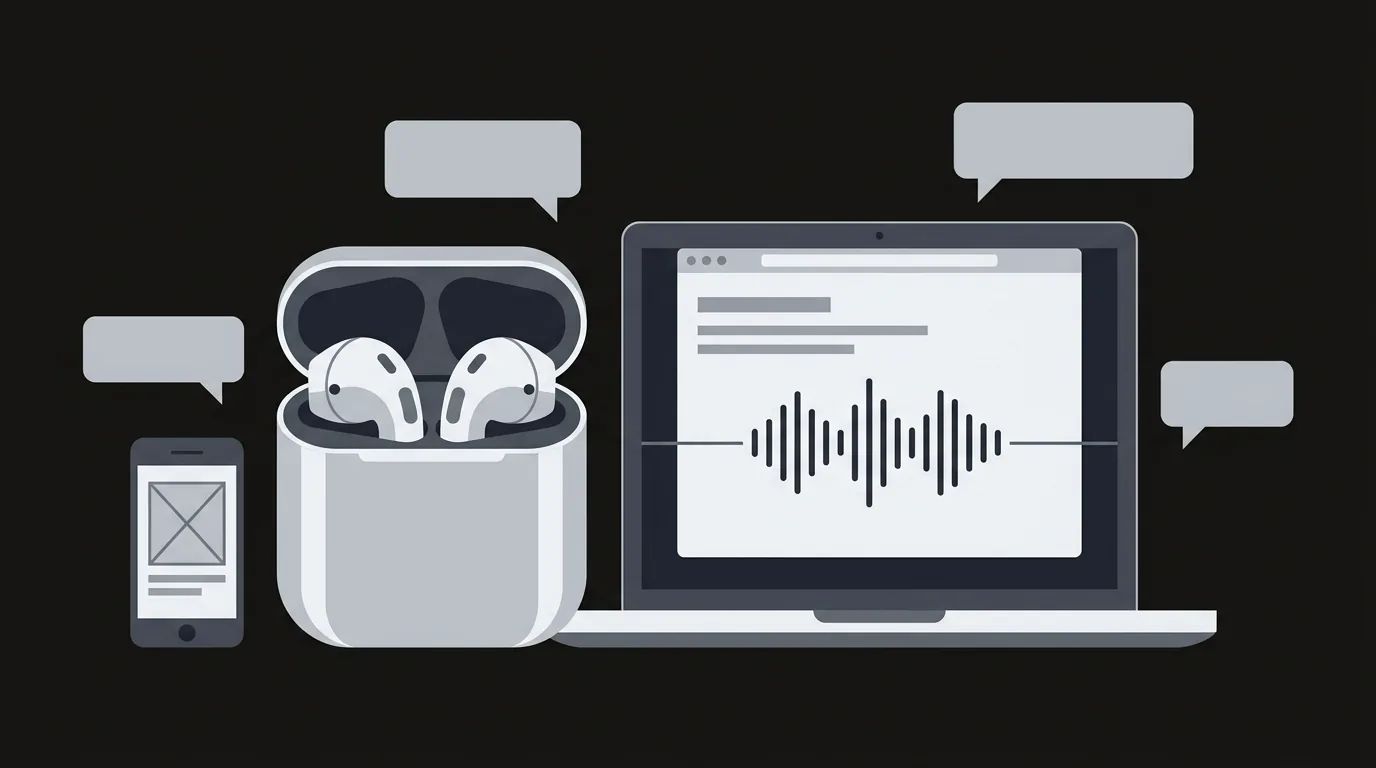
Most translation earbuds need an app, and the ones that say "no app needed" are using that phrase to mean three very different things. Sometimes it means the translating happens on a separate device with its own processor and mobile data. Sometimes it means a charging case or screen does the work instead of your phone. And sometimes it means the software runs in a web browser, so there is nothing to install, though your phone is still involved. Earbuds on their own are a microphone and a speaker, so something always does the translating. The useful question is not whether an app is involved. It is where the translating software lives, what it costs you in setup and updates, and whether you can use it with the headphones you already own.
I sell a translation earbud kit and a browser translation app, so I have a stake in one of the three meanings below. I have tried to describe all of them by what they do and what they cost you, because a shopper looking at a page of listings that all say "no app" cannot tell them apart, and the difference decides whether the thing works in your hand on day one.
Why do most translation earbuds need an app?
Because the earbuds are not where the translation happens.
A pair of earbuds does two jobs. It picks up your voice, and it plays audio into your ears. Everything between those two jobs, turning speech into text, translating the text, and speaking the result in another language, is software running somewhere else. That somewhere is usually your phone, which connects to a server over the internet. I covered the full path in how translation earbuds actually work, and it is worth reading if the idea of the earbuds being a headset rather than a brain is new to you.
So an app is the piece that connects the three parts: the earbuds, the translation service and you. It is where you pick the language pair, where updates arrive, and where the microphone permission lives. Soundcore's own guide to using its translator earbuds is a good example of the normal arrangement. It tells you to pair the earbuds with the companion app, set your language pair there, and manage firmware updates through the same app on both iPhone and Android. Most dedicated translator earbuds follow the same pattern.
That is the default, and there is nothing wrong with it. The trouble starts when a listing promises you can skip it.
What does "no app needed" usually mean on a listing?
It means one of three things. Here is the glossary, with the tell for each one.
| Meaning | Where the translating software lives | Do you still need a phone? | Typical tell on the listing |
|---|---|---|---|
| 1. Self-contained device | In a handheld or earpiece with its own processor and its own data connection (a SIM or eSIM, or Wi-Fi) | No | A SIM slot, an eSIM or "data plan" mention, a built-in screen, a carrier or data-plan line in the spec table |
| 2. Case or screen does the work | In a charging case or a companion unit that shows and handles the translation, though it usually still gets its connection from your phone | Often yes, for the connection and for first setup | Photos of a case with a touchscreen, "tap the case to translate" in the bullets |
| 3. Browser software | In a web page you open, with nothing to install | Yes, any phone or laptop with a browser | A web address instead of an app store badge, "works in your browser" |
Each of these is a legitimate way to avoid downloading a branded app. They are also very different purchases.
Meaning one: a self-contained device
This is the one that genuinely does not need your phone. The translating software runs on a separate gadget that has its own network connection, so you carry it instead of using your phone.
You pay for that independence in three ways. The device has to be charged and carried. Its data connection is a recurring or prepaid cost, which I broke down in the Pocketalk subscription cost guide. And its software updates arrive on the manufacturer's schedule, not yours.
If you want translation on a trip where your phone stays in your bag, this is the category that does it. It is a different thing from a pair of earbuds, though, and when the listing says "earbuds" it is worth checking whether the translating is happening in the earbuds, in a small box they connect to, or on your phone.
Meaning two: the case or a screen does the work
Some earbud systems put a screen on the charging case so you can see the transcript and start a conversation mode without pulling out a phone. Soundcore's guide describes exactly this on one of its models: you place the case on the table, tap its screen to start face to face translation, and the live transcription appears on the case in real time.
That is a real convenience, and it does cut down on phone handling. Read the rest of the setup instructions before you assume it removes the app, though. In the same guide, pairing, language settings and firmware updates are all handled in the companion app. So "no app" is true during the conversation and not true during setup. For plenty of people that is a fine trade. It just is not the same claim as meaning one.
Meaning three: software that runs in a browser
This is the one I sell, so weigh it accordingly. A browser translator is a web page. You open the address, allow the microphone for that site, and talk. Nothing is downloaded, nothing sits on your home screen, and when you close the tab the session ends.
Notice what this does not do. It does not remove your phone or laptop from the picture, because the browser has to live somewhere. It removes the install, the account and the store listing. If you want the detail on what a browser can and cannot do with a microphone, including the loss that matters most (it cannot keep working with the screen locked), I wrote it up in browser translation vs an app.
Can earbuds translate with nothing on your phone?
Not on their own. A pair of earbuds with no processor of their own and a Bluetooth link to a phone cannot translate a sentence, because the models that do it are far too large to live inside an earbud and need a connection to run.
What you can do is use software that is already on your phone, which is a fourth case that listings never mention because it makes the "no app" claim sound silly. Your phone already ships with translation, and it will route the audio to ordinary earbuds.
Google documents that Android's Translate live translate works with or without headphones: you connect your headphones to the phone and listen to the translation in your own language, and the same page tells you to make sure the app is on its latest version. Apple's support page for Live Translation with AirPods describes the other half of the arrangement. If the person you are talking to is not wearing their own AirPods, you speak naturally and then use the Translate app on iPhone to show your words in their language or play back the translated audio.
Notice what that means. In both cases there is an app. You just did not have to install it, because the phone maker built it in. If your listing math is "I want to avoid downloading something," a phone you already own may solve that for nothing. I compared those built in options in the guide to translation apps for earbuds and headphones, and it is worth a look before you spend anything.
What does a browser app change?
A browser translator sits between the built in tools and the dedicated hardware, and what it changes is mostly about friction and flexibility.
You can use it on a device you did not set up. A borrowed laptop, a hotel business centre computer, a work phone where you cannot install anything. A web page works anywhere a modern browser does, and the permission it asks for belongs to that one site.
It works with whatever headphones you have. The page uses your device's audio, so ordinary wired or Bluetooth headphones do the listening. You are not tied to one brand's earbuds.
Updates happen without you. The next time you open the page, it is the current version. There is no update queue, no store, no firmware step.
It has no home screen presence. That is the downside as much as the upside. You have to remember the address or bookmark it, and a tab is easier to lose than an icon.
AI Translation Live is our version of this. It is a browser speech to speech page, and the live demo on the AI Earbuds home page lets you hear it work before you buy anything. The details of what Live includes sit on the Live page.
What does skipping the app cost you?
Every route around the app has a price. Here is what each one asks of you in exchange.
| Route | What you gain | What it costs |
|---|---|---|
| Self-contained device | No phone needed. Works as its own thing. | Another gadget to charge and carry. A data plan or SIM cost. Updates on the maker's schedule. |
| Case or screen | Less phone handling mid conversation. | Usually still needs the companion app for setup, pairing and updates. Only works with that maker's own hardware. |
| Browser software | No install, no account to create, works on any device with a browser. | A tab has to stay open. It will not keep running with the screen locked. You need a connection the whole time. |
| Your phone's built in translate | Free, already installed, works with ordinary headphones. | Features depend on your phone and sometimes the headphones you own. Less control over the experience. |
There is a pattern here worth stating plainly. No route removes the need for a connection and some software. They only move where that software lives and who is responsible for keeping it current. If a listing implies the translating happens inside the earbuds with no phone, no data and no software, it is describing something no one sells.
One more cost that is easy to miss: what happens when the maker stops updating. An installed app that is abandoned gradually stops working with new phone software. A web page that is abandoned simply stops loading. Neither is permanent protection against a company disappearing.
How do you check a listing before buying?
You can sort almost any listing into one of the three meanings in under a minute. Do these five checks in order.
- Look at the photos for a SIM tray or a screen. A SIM slot or an eSIM mention means a self-contained device. A touchscreen on a charging case means the case or screen model. Neither means the earbuds are leaning on your phone.
- Read the spec table, not the bullets. The bullets are marketing. The spec table lists connectivity: Bluetooth, Wi-Fi, SIM. If the only connectivity line is Bluetooth, the earbuds depend on something else for their internet connection.
- Search the page for "app", "download" and "update". If the setup section says "pair with the companion app", the product needs one, whatever the headline said.
- Find the ongoing cost. Look for the words subscription, credits, data plan or "free for the first year". A "no app" claim next to an unmentioned recurring fee is a flag.
- Ask what happens with the screen locked. If you plan to leave the phone in your pocket during a conversation, check that the product's own instructions say it keeps working.
If a listing fails the first three checks, it probably belongs to meaning three or to a plain phone based earbud set, and the "no app" phrase is doing less work than it appears to.
So which one should you pick?
Start from the situation, not the headline.
If you want translation that works with your phone stowed and no data worries, look at a self-contained device and read its data plan terms first. If you like the idea of looking at a transcript on a case and are happy to do the setup once in the maker's app, the case style earbuds are fine. If you mostly want to try translation with nothing to install, on whatever device is in front of you, a browser tool or your phone's built in translate is the lowest friction place to start.
That last one is where Live fits. Open the page, allow the microphone, and use any headphones you already have. Try the free demo on the home page first and you will know in a minute whether the approach suits you.
FAQ
Can translation earbuds work without a phone?
Not on their own. Earbuds capture and play audio, and the translating is done by software somewhere else. A self-contained translator device has its own processor and data connection, so it works without your phone, but that is a separate gadget rather than a pair of earbuds. A case with a screen can reduce how much you handle your phone, though it generally still depends on one for setup and its connection.
Which translation earbuds work without an app?
Be careful with the framing, because very few do in the strict sense. Many listings say "no app needed" to mean one of three things: a self-contained device with its own data connection, a case with a screen that handles the conversation, or software that runs in a web browser. The honest check is to read the setup instructions. If they say to pair with a companion app, it needs one. Your phone may also already have a built in translator that sends audio to ordinary headphones.
Do I need to download anything for translator earbuds?
Usually yes. The typical setup is to pair the earbuds with a maker's app, choose a language pair and install updates there. The exceptions are browser based tools, which need nothing downloaded, and the translation features already built into your phone, which only need updating like any other part of the phone. Whichever you choose, you still need a connection while you talk.
Is a browser translator the same as no app?
Partly. A browser translator removes the install, the store listing and the account, so it is "no app" in the sense of nothing to download. It is not no software, because the web page is the software, and it is not no device, because a phone or laptop has to run the browser. It also cannot keep translating with the screen locked. If that matters to you, read browser translation vs an app before deciding.