Translation Earbuds for Seniors: What Makes Them Usable
By Mark Fulton ·
Last verified:
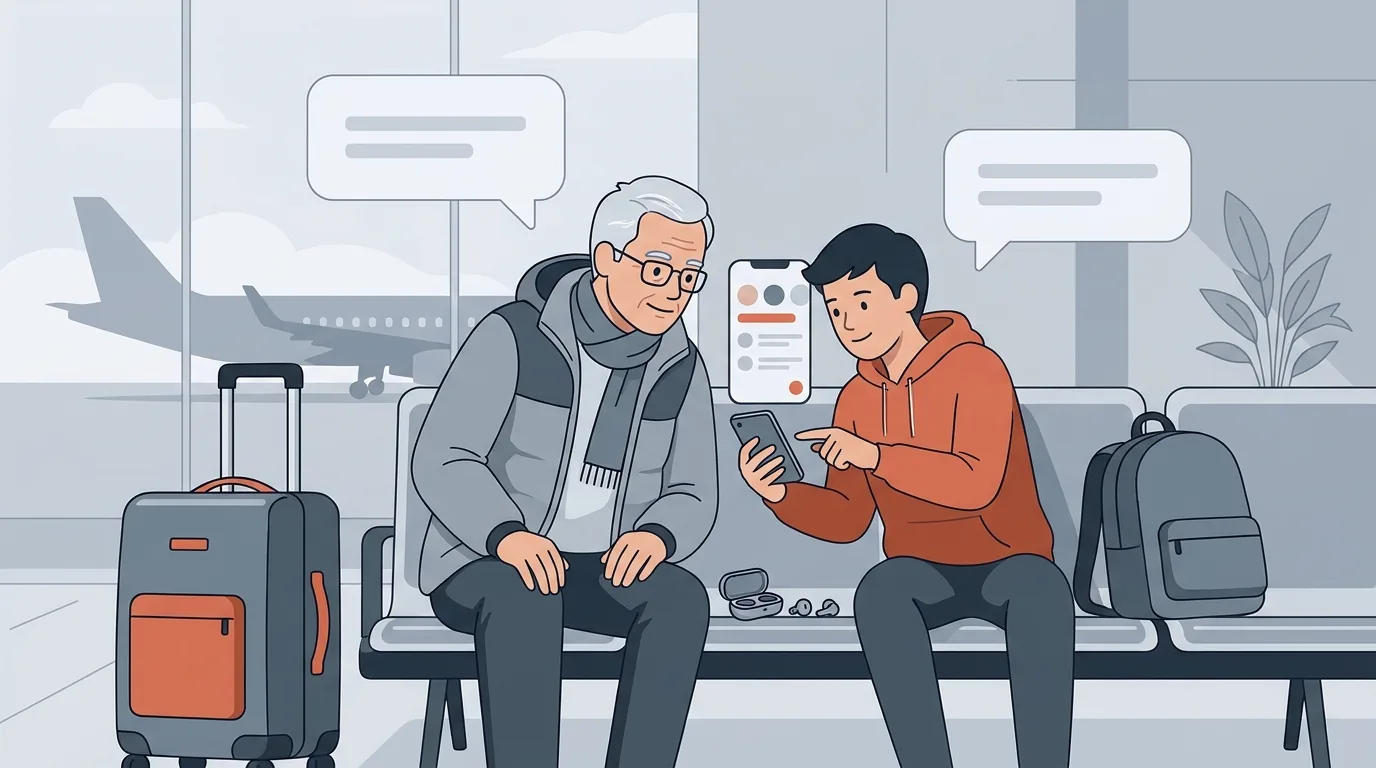
Translation earbuds can work for older people, but only when someone else does the setup and the daily routine is close to one tap. Language counts, battery claims and accuracy figures on the box matter far less than four plain things: who sets it up, how many taps one exchange takes, whether the volume is comfortable, and whether anything needs an account or a password. If a parent cannot get through one short conversation alone after a family member has set everything up, the gadget is the wrong tool, and a phone app, a printed card or a human guide will serve them better.
I sell a translation earbud kit, so I have a stake in this. I would still rather you skip the purchase than give a parent something that sits in a drawer, because that is how a gift turns into a return and a bad week for everyone. This post is the questions I would ask before buying, the answer to each that should stop the purchase, and the cases where an older traveller is better off with something simpler.
What makes translation tech hard for older users?
It is rarely the translation. The hard part is everything around it, and most of it is invisible to the person buying.
A translation earbud is a small microphone and speaker. The translating happens in software, usually on a phone, which means a working setup has several moving pieces: the earbuds, the phone, a Bluetooth connection between them, an app or web page, a microphone permission, and a choice of two languages. I explained that chain in how translation earbuds actually work. For someone who pairs devices every month, those pieces are routine. For someone who does not, each one is a place to get stuck.
The common sticking points for older users are not exotic:
- Tiny controls. Touch surfaces on a small earbud are easy to trigger by accident and hard to find by feel. A stray brush against the ear can pause, skip or change a mode.
- Small text on a small screen. If the language choice or the "speak now" cue is a small label, it gets missed.
- Pop-ups and prompts. A microphone permission, an update notice or a sign-in screen can derail an otherwise simple flow, and a confusing prompt often gets dismissed or accepted without being read.
- Volume and clarity. Hearing changes with age for many people, and a translated voice that is quiet or arrives while the other person is still talking can be hard to follow. If your parent already uses hearing aids, wearing earbuds in the same ear is its own question.
- Fear of breaking something. Many older users are careful not to press the wrong thing, which means they do nothing when something unexpected happens.
None of this means older people cannot use the technology. It means the product has to be judged on friction, and the buyer has to be honest about the person who will actually carry it.
What should setup look like before gifting?
Plan on doing the setup yourself, in person, before the trip. This is the single most useful piece of advice here, and the one most listings skip.
The setup that works for a first-time user looks like this:
- Charge and pair the earbuds at home, on the phone they will carry, while you are there to see it.
- Open the translation app or page and choose their two languages, then leave that screen as the one that opens first. Put a shortcut to it on the phone's home screen so nothing has to be searched for.
- Grant the microphone permission once, and check that it stuck. Browsers and phones ask before an app can record, and if that prompt is dismissed, nothing works and no clear error appears. Mozilla's explanation of how browsers ask for microphone access is a useful plain description of why that prompt exists.
- Turn off anything that interrupts: automatic update prompts where you can, and notifications from other apps while the translator is open.
- Run three real exchanges together, with you playing the shopkeeper, and watch where their hands hesitate.
- Write a one-card cheat sheet, large print, with the two or three steps in order, and tuck it in the case.
If you are giving the kit as a gift rather than keeping it for a parent you live with, translation earbuds as a gift covers the delivery and return-window side of this. For older users, the twenty minutes you spend on the setup is worth more than any feature on the box.
Which controls matter more than language counts?
A language count tells you almost nothing about whether a person will use the product. What matters is how the product behaves on the first, ordinary, slightly stressful day. These are the eight questions a family member should ask, each with the answer that should stop the purchase.
| # | Question | A good answer | The answer that should stop the purchase |
|---|---|---|---|
| 1 | Who sets it up, and how many steps is it? | You can finish the whole setup at home in one sitting, and it never needs repeating | Setup needs the senior to do part of it alone, or it has to be redone on every trip |
| 2 | How many taps does one conversation take? | One or two taps to start, and the rest is speaking | Several menus, a mode switch or a language re-selection before each exchange |
| 3 | Is the volume easy to raise and comfortable to hear? | A clear way to turn it up, and you have tested it with their own ears | You cannot check the volume before buying, or it only changes through a hidden gesture |
| 4 | How does the case and the earbud handle? | Larger parts they can grip, and they can open the case with one hand | Small, slippery pieces that are hard to seat, or a lid they cannot open |
| 5 | How do they switch languages? | You preset the pair and it stays put | They have to find and change a language list while someone waits |
| 6 | What is the charging habit? | A routine you can describe in one sentence, such as "charge it at night with your phone" | A daily routine with several separate steps that will be forgotten |
| 7 | What support exists, and who reads it? | A support route you can use on their behalf, in plain language | Support that expects the user to troubleshoot alone through an app |
| 8 | What if it does not work for them? | A return window that outlasts the time it takes to ship, test and practise | A short window, restocking fees, or a return that needs the original packaging they threw away |
Two of these deserve a note.
Question 2 is the one that decides most purchases. Count the taps by actually doing it, not by reading the listing. Start from the phone's locked screen and count until the first translated sentence plays. If that number is more than you would be comfortable teaching a nervous relative, stop.
Question 6 is about habit rather than hardware. I am deliberately not quoting battery hours for any product here, including ours. Published battery figures are measured under conditions that rarely match a day of use, and what matters for an older traveller is a routine that is easy to remember. A pair that is dead on the morning of a tour is no use whatever its specification says.
Language count does matter in one narrow way: check that the one language your parent needs is on a named, searchable list. A big number with no list tells you nothing, and I wrote about why in what the 144 languages claim means.
Is an earbud or a phone easier?
For many older users, a phone is easier. That is not what a seller usually says, so I will say it plainly.
A phone translation app gives you a large screen, large text, a big microphone button and nothing to wear. The person can see the translated words as well as hear them, which helps if hearing is part of the difficulty. Apple's guide to translating in-person conversations on iPhone lists the Translate app's conversation feature as a built-in option, and Google's Translate help page describes the free Android and web equivalents. Neither needs a new device or a second battery.
Earbuds earn their place in a narrower set of situations:
- Longer conversations where holding a phone out between two people feels awkward, such as a dinner with a partner's relatives.
- Hands that are busy, for instance a walker holding a rail, a bag and a ticket at once.
- Noisy or crowded places where you want the translated voice close to the ear instead of from a small speaker, as long as the volume has been tested.
- A user who is comfortable with earbuds already, and who finds a phone held in front of another person a bit confrontational.
If your parent has never worn wireless earbuds, adding them to a translation task doubles the new things to learn. In that case start with the phone alone, and add earbuds later only if the phone version works and a real need shows up. Translation earbuds vs a phone app goes through that trade-off in more detail.
The kit I sell pairs earbuds with AI Translation Live, which runs in a phone or computer browser, so the phone-first route and the earbud route use the same translation software. That means you can start with the phone and add the earbuds without learning a new tool. It does not make us the right answer for everyone, and the last section says who should skip it.
How do you practise before the trip?
Practice is what turns a setup that works at the kitchen table into one that works in a taxi queue. A few short sessions beat one long one.
- Week one: sit together. Do three exchanges at home. You say a short sentence in one language, and they listen to the other. Then swap. Keep every sentence short, because short turns translate better, and how to speak for better translation lists the habits that help.
- Week two: do it alone, with you watching from across the room. The point is to see whether they can start the first exchange without help. If they cannot, fix the step they stumble on rather than coaching them through it again.
- Week three: use it on something real. Order a coffee from a neighbour who speaks the other language, or call a relative abroad. Real use finds problems rehearsal hides, such as a pair of earbuds that slip out when they turn their head.
- Before leaving: check the basics. The phone is charged, the earbuds are charged, the app opens in two taps, and the large-print card is in the case.
- Pack a fallback. A printed card with five or six key phrases in the local language, including a line asking someone to speak slowly, costs nothing and works when everything else fails.
Many travellers practise with a family member present and then find the first real conversation in a noisy room goes differently. That is normal. The aim is a sequence they can repeat under mild stress, not a perfect demo.
When should a senior skip the gadget?
Sometimes the honest answer is that no translation device is right. Skip it, or at least delay the purchase, in these cases.
- They travel on a guided tour. A tour guide or a hotel concierge already provides the human translation that matters most, and a gadget adds a thing to carry and charge. Save the money for the tour.
- They need translation for health, legal or safety conversations. Machine translation is useful and imperfect. For a medical appointment or any conversation where a mistake has consequences, a professional interpreter is the right tool, and our notes on translation for medical and caregiving situations go through what to use instead.
- They want to speak the language themselves. A translator is a way around learning, not into it. For someone who wants to talk, lessons help more.
- They struggle with the first setup even with you there. If three sessions in a row end with them frustrated, believe that. The tool has failed the test, and a phrase card and a patient guide are the better answer.
- The trip has no reliable data connection. Most live translation depends on being online. Do translation earbuds need Wi-Fi explains what works without a signal, and the short version is that a downloaded phone language pack and a printed card are the safer plan.
- A relative is travelling with them. A confident family member with a phone often beats any device, and nothing needs to be taught.
There is no shame in any of these. The goal is for your parent to have a good trip, not to use a particular gadget.
Try one exchange on a parent's phone
The best test costs nothing. Open the live demo on the AIEarbuds home page on your parent's phone, say one short sentence, and watch whether they can get through a single exchange alone. If they manage it without help, the harder part of the decision is made. If they do not, you have learned something important before spending anything. Our kit is $69, with AI Translation Live at $39 a year on top, and that price is stated on the home page, not behind a signup.
Frequently asked questions
Are translation earbuds easy for older people?
Some are easy enough, but it depends far more on setup than on the earbuds. If a family member pairs everything, presets the two languages, grants the microphone permission and puts a shortcut on the phone's home screen, many older users manage a short conversation in one or two taps. If the person has to do any of that alone, or the controls are tiny, it usually fails on the first day. Test it with them before the trip, and treat a failed test as a real answer.
What is the easiest translator for an elderly traveller?
For many people, a phone translation app with large text and a big microphone button is easiest, because it needs no new device and shows the translated words on screen. Earbuds are a better fit when hands are busy or a conversation runs long, and only after the person is comfortable with the phone version. A printed phrase card, and a tour guide where one is available, are simple backups that do not need a battery.
Can someone set up translation earbuds for a parent?
Yes, and it is the best way to do it. Pair the earbuds on the phone your parent will carry, choose their language pair, grant the microphone permission and put a shortcut to the translation screen on the home screen. Then run a few practice exchanges together and leave a large-print cheat sheet in the case. Repeat a short check the week before the trip.
Do I need a smartphone for translation earbuds?
For most translation earbuds, yes. The earbuds capture and play sound, and a phone or computer runs the translation software and the internet connection. Our own kit works through a browser, so it runs on iPhone, Android or a computer. If your parent does not use a smartphone, a standalone handheld translator or a human guide is the more realistic choice, though a handheld brings its own setup and charging routine.